
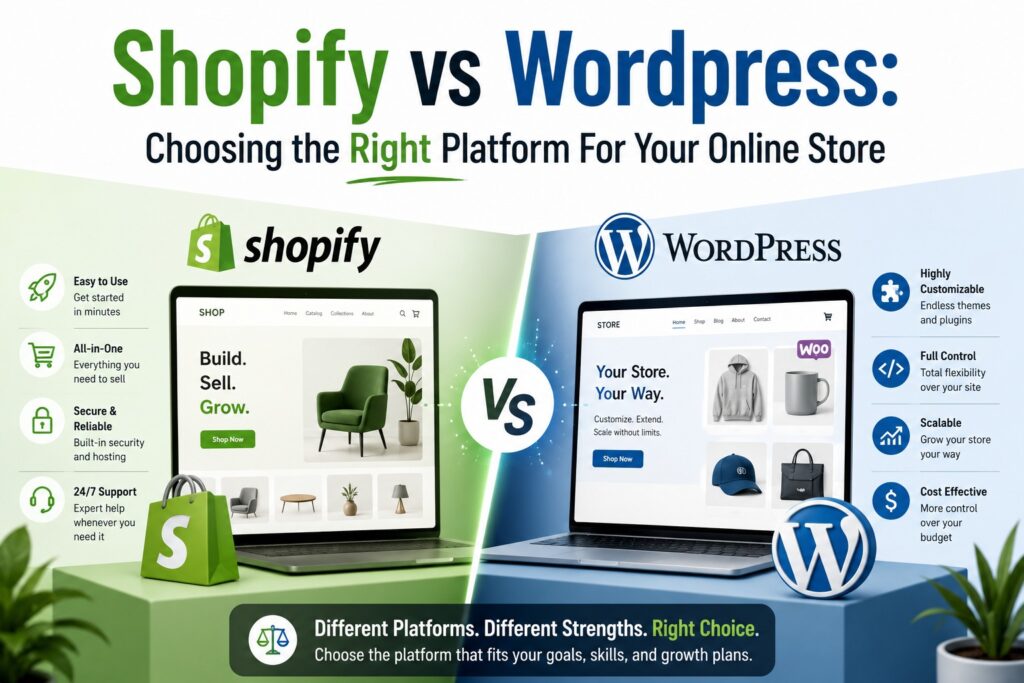
Shopify vs WordPress: Choosing the Right Platform for Your Online Store
A comprehensive, data‑driven comparison of the two most powerful e‑commerce platforms. Cost, features, SEO, scalability, and which one is right for your business.
The e‑commerce platform dilemma: Shopify or WordPress?
Choosing the right e‑commerce platform is one of the most critical decisions you’ll make as an online retailer. Get it right, and you have a scalable, profitable business. Get it wrong, and you’ll spend years fighting with your platform, paying hidden fees, and missing growth opportunities.
Shopify and WordPress (with WooCommerce) are the two dominant forces in e‑commerce. Together, they power over 70% of all online stores. But they couldn’t be more different in philosophy, cost structure, and user experience.
This guide breaks down every aspect of both platforms — from setup costs to scalability, SEO to security — so you can make an informed decision for your Pakistani e‑commerce brand.
🛒 Shopify: The all‑in‑one SaaS solution
Shopify is a hosted, all‑in‑one e‑commerce platform. You pay a monthly fee and get everything included: hosting, security, payment processing, and a user‑friendly dashboard. It’s designed for merchants who want to focus on selling, not technical management.
Best for: Dropshipping, small‑medium businesses, brands that want simplicity, and merchants who don’t want to manage hosting or security.
📝 WordPress + WooCommerce: The open‑source powerhouse
WordPress is an open‑source content management system. With the WooCommerce plugin, it becomes a fully‑featured e‑commerce platform. You own everything — the code, the data, the hosting — but you’re responsible for maintenance, security, and performance.
Best for: Content‑driven brands, large catalogs, B2B, businesses that need total customization, and those with technical resources.
Side‑by‑side comparison: Shopify vs WordPress (WooCommerce)
| Factor | 🛒 Shopify | 📝 WordPress + WooCommerce |
|---|---|---|
| Type | Hosted SaaS (all‑in‑one) | Self‑hosted open‑source |
| Monthly cost (base) | $39 – $399 (PKR 11,000 – 110,000) | $0 (WooCommerce is free) + hosting ($5–50/mo) |
| Transaction fees | 2.4% – 2.9% + 30¢ (unless using Shopify Payments) | 0% (you choose your gateway) |
| Hosting & security | ✓ Included & managed | ✗ You manage it |
| Customization | Liquid templates, limited backend access | Full control (PHP, HTML, CSS, JS) |
| Plugins/apps | 8,000+ apps (paid) | 60,000+ plugins (free + premium) |
| SEO capabilities | Good (built‑in, but limited) | Excellent (full control with Yoast, RankMath) |
| Content management | Basic blogging, limited flexibility | World‑class (native CMS for blogs, pages, custom posts) |
| Payment gateways (Pakistan) | JazzCash, EasyPaisa, HBL, UBL, & more | Any gateway via plugins (JazzCash, EasyPaisa, etc.) |
| Scalability | Excellent (handles high traffic, but costs scale) | Unlimited (depends on your hosting) |
| Learning curve | Easy | Steeper |
| Support | 24/7 live chat, email, phone | Community forums, third‑party developers |
| Ownership | You don’t own the code or data (vendor lock‑in) | 100% yours — code, data, everything |
Cost breakdown: what you’ll really pay
The upfront cost is just the beginning. Here’s a detailed breakdown of the true cost of ownership for both platforms over the first 12 months.
🛒 Shopify
- Setup cost: $0 – $500 (theme customization)
- Transaction fees: 2.4% – 2.9% + 30¢ per sale (unless using Shopify Payments)
- Apps: Average $50–200/mo for essential apps
- Theme: Free – $350 (one‑time)
- Total (year 1): ~$600 – $5,000+ depending on plan and apps
- In Pakistan (PKR): ~170,000 – 1,400,000+ per year
📝 WordPress + WooCommerce
- Hosting: $5 – $50/mo (shared to dedicated)
- Domain: $10 – 20/year
- Plugins: $0 – 300/year (essential: SEO, security, caching)
- Theme: $0 – 200 (one‑time)
- Developer: $500 – 3,000 (if you need custom work)
- Total (year 1): ~$200 – 4,000+ depending on hosting and custom work
- In Pakistan (PKR): ~60,000 – 1,100,000+ per year
Ease of use: which platform is more user‑friendly?
🛒 Shopify — Drag, drop, sell
- Setup: Create an account, pick a theme, add products — you can be live in under 30 minutes.
- Dashboard: Intuitive, clean, and designed for non‑technical users.
- Product management: Simple interface for adding variations, inventory, and collections.
- Order management: Built‑in system with shipping labels and tracking.
- Mobile app: Manage your store from your phone.
- Learning curve: Low — anyone can use it.
📝 WordPress — More power, more complexity
- Setup: Requires hosting setup, domain, WordPress installation, WooCommerce installation. Takes 2–4 hours for a beginner.
- Dashboard: Functional but can feel cluttered. More options = more confusion.
- Product management: Full featured but requires learning where everything is.
- Order management: Works well, but requires additional plugins for advanced features.
- Mobile app: Limited compared to Shopify.
- Learning curve: Medium – High — steeper for non‑technical users.
Customization & flexibility: who wins?
If you want a unique store that stands out from competitors, customization is key. Here’s how they compare:
🛒 Shopify — Limited but sufficient
- Theme customization: Drag‑and‑drop editor (Online Store 2.0) allows visual edits.
- Code access: You can edit Liquid, HTML, CSS, and JavaScript — but only within Shopify’s framework.
- Custom features: Need a custom feature? Use an app or hire a Shopify developer (uses Liquid).
- Checkout: Limited customization — Shopify controls the checkout page.
- API access: Good for integrations, but you’re bound by Shopify’s rate limits.
📝 WordPress — Unlimited possibilities
- Theme customization: Full control over every pixel. Use page builders (Elementor, WPBakery) or code from scratch.
- Code access: Full access to PHP, HTML, CSS, JS — you can build anything.
- Custom features: Build custom plugins, custom post types, or modify WooCommerce core.
- Checkout: Full control — customize every step of the checkout process.
- API access: Complete REST API access with no limits (other than hosting).
SEO: which platform ranks better?
SEO is the lifeblood of organic traffic. Here’s how Shopify and WordPress stack up:
🛒 Shopify — Good, but limited
- Built‑in SEO: Auto‑generates sitemaps, title tags, meta descriptions.
- URL structure: Clean, but not fully customizable (e.g., /collections/
- Blogging: Basic blogging — limited categories, tags, and customization.
- Speed: Fast hosting, but you can’t control server settings.
- SEO apps: Plugins like Yoast for Shopify help, but they’re limited compared to WordPress.
- Schema markup: Auto‑generated, but limited control.
📝 WordPress — The SEO king
- Built‑in SEO: Requires plugins (Yoast, RankMath) — but they’re powerful and free.
- URL structure: Full control — customize every slug, category, and tag.
- Blogging: World‑class — unlimited categories, tags, custom taxonomies.
- Speed: Depends on hosting — you can optimize everything (caching, CDN, image compression).
- SEO plugins: Yoast and RankMath are industry standards with comprehensive features.
- Schema markup: Full control with plugins or manual code.
Payment gateways in Pakistan: what’s available?
For Pakistani merchants, payment gateway availability is crucial. Here’s what each platform offers:
🛒 Shopify — Growing local support
- JazzCash: Available via third‑party app.
- EasyPaisa: Available via third‑party app.
- HBL (Habib Bank): Available via payment gateway integration.
- UBL (United Bank): Available via payment gateway.
- Stripe: Not available for Pakistani merchants.
- PayPal: Not available for Pakistani merchants.
- 2Checkout: Available as a workaround.
- Note: Shopify charges additional transaction fees for using third‑party gateways (0.5% – 2%).
📝 WordPress — Any gateway, no restrictions
- JazzCash: Official WooCommerce plugin available.
- EasyPaisa: Official WooCommerce plugin available.
- HBL, UBL, MCB, and all major banks: Available via payment gateway plugins.
- Stripe: Not available for Pakistan (same as Shopify).
- PayPal: Not available for Pakistan.
- 2Checkout: Available and works well.
- Cash on Delivery (COD): Built‑in support in WooCommerce.
- Zero transaction fees: No extra fees from WooCommerce — just your gateway’s fees.
Performance & scalability: which handles growth better?
🛒 Shopify — Scales, but at a cost
- Traffic handling: Excellent — Shopify’s infrastructure handles millions of visitors.
- CDN: Built‑in global CDN (fast loading worldwide).
- Caching: Automatic caching, no configuration needed.
- Scaling cost: Upgrade to higher plans ($399/mo for Advanced) or Shopify Plus ($2,000+/mo).
- Product limit: Unlimited products, but API rate limits can restrict integrations.
- Checkout: Shopify handles checkout infrastructure — it’s reliable but rigid.
📝 WordPress — Scalable, but you manage it
- Traffic handling: Depends entirely on your hosting. With good hosting, it can handle millions.
- CDN: Use Cloudflare or other CDNs (you set it up).
- Caching: Use caching plugins (WP Rocket, W3 Total Cache) — you configure it.
- Scaling cost: Upgrade your hosting ($50–500/mo for dedicated/VPS) — no platform fees.
- Product limit: Unlimited products — no API rate limits (your hosting is the limit).
- Checkout: You own the checkout — you can optimize it, but you’re responsible for its performance.
Security: who keeps your data safer?
🛒 Shopify — Enterprise‑grade, hands‑off
- SSL: Included and auto‑renewed.
- PCI compliance: Fully PCI‑compliant out of the box.
- Security patches: Shopify handles everything — you don’t lift a finger.
- Data backups: Automatic backups (you can’t restore individual items, but Shopify can).
- DDoS protection: Included.
- Risk: Low — you’re relying on Shopify’s security team.
📝 WordPress — You are responsible
- SSL: You install and manage it (free via Let’s Encrypt).
- PCI compliance: You must ensure your hosting, plugins, and code are compliant.
- Security patches: You must update WordPress, themes, and plugins regularly.
- Data backups: You must set up backups (plugins or hosting‑provided).
- DDoS protection: You need to enable it (via Cloudflare or hosting).
- Risk: Higher — you’re responsible for everything. A single vulnerable plugin can compromise your store.
Support & community: who has your back?
🛒 Shopify — 24/7 professional support
- Support channels: 24/7 live chat, email, phone (English).
- Knowledge base: Extensive documentation, video tutorials, and guides.
- Community: Active forums, Shopify Experts marketplace, and partner program.
- Response time: Usually < 5 minutes for chat, < 2 hours for email.
- Language: Support is primarily in English.
📝 WordPress — Community‑powered
- Support channels: Community forums, WordPress Stack Exchange, Facebook groups.
- Knowledge base: Massive documentation, thousands of blogs, YouTube tutorials.
- Community: One of the largest open‑source communities in the world.
- Response time: Depends on where you ask — forums can take hours to days.
- Language: Support is available in many languages (including Urdu and Hindi).
- Note: No official 24/7 support — you rely on community or paid developers.
Pros & cons: at a glance
🛒 Shopify — Pros
- Ultra‑easy setup: Live in under 30 minutes
- Managed hosting & security: Everything is included
- 24/7 professional support: Help is always available
- Built‑for‑commerce: Features designed for selling
- Scalable infrastructure: Handles traffic spikes effortlessly
- Beautiful themes: Professional, mobile‑optimized designs
📝 WordPress — Pros
- Full ownership: You own everything — code, data, content
- Zero transaction fees: No platform fees on sales
- Unlimited customization: Build anything you can imagine
- World‑class SEO: The best platform for organic traffic
- Massive ecosystem: 60,000+ plugins, thousands of themes
- Lower total cost: Cheaper to run at scale
🛒 Shopify — Cons
- Transaction fees: 0.5% – 2% on third‑party gateways
- Limited customization: Checkout is locked down
- App costs: Essential apps add $50–200/mo
- Vendor lock‑in: Hard to leave (data export is messy)
- Blogging limitations: Basic content management
- Language support: Urdu/Pakistani support is limited
📝 WordPress — Cons
- Steeper learning curve: Requires technical knowledge
- Security is your responsibility: Risk of hacks if not maintained
- Hosting costs: You pay for hosting, CDN, backups
- Performance depends on you: Slow hosting = slow store
- No official support: Relies on community or paid help
- Plugin conflicts: Can cause issues if not managed carefully
Which one should you choose? A decision matrix
Answer these questions to determine which platform fits your business:
Are you non‑technical?
If you want to focus on selling, not managing servers or security, choose Shopify.
ShopifyIs content marketing your primary channel?
If you rely on blogs, guides, and content to attract customers, WordPress is the superior choice.
WordPressDo you need custom features?
If you need bespoke functionality, custom workflows, or unique integrations, choose WordPress.
WordPressWhat’s your budget?
For lower upfront cost and no transaction fees, WordPress is more affordable. For all‑in‑one simplicity, Shopify is worth the premium.
BothDo you need to scale to millions of products?
Both can handle large catalogs, but WordPress gives you more control over database optimization.
WordPressDo you want to “set it and forget it”?
If you want to outsource all technical concerns, Shopify is the clear winner.
Shopify📊 Real‑world example: Pakistani brand comparison
Two Pakistani fashion brands launched at the same time. Brand A chose Shopify. Brand B chose WordPress + WooCommerce. Here’s how they compared after 12 months:
🛒 Brand A — Shopify
- Monthly sales: PKR 2.5M
- Monthly ad spend: PKR 400K
- Platform cost: ~PKR 25,000/mo
- Transaction fees: ~PKR 35,000/mo
- App fees: ~PKR 20,000/mo
- Total monthly cost: ~PKR 80,000
- ROAS: 3.2x
📝 Brand B — WordPress
- Monthly sales: PKR 2.8M
- Monthly ad spend: PKR 400K
- Platform cost: ~PKR 10,000/mo (hosting)
- Transaction fees: ~PKR 0
- Plugin fees: ~PKR 5,000/mo
- Total monthly cost: ~PKR 15,000
- ROAS: 3.6x
Result: Brand B (WordPress) saved PKR 65,000/month in platform costs, which they reinvested into ads and inventory. After 12 months, Brand B had 35% higher profit margins than Brand A — all because of the platform choice.
Deep‑dive: 10 key features compared
| Feature | 🛒 Shopify | 📝 WordPress |
|---|---|---|
| Multi‑currency | ✓ (with Shopify Payments) | ✓ (via plugins) |
| Multi‑language | ✓ (via apps, extra cost) | ✓ (free with WPML or Polylang) |
| Abandoned cart recovery | ✓ (built‑in) | ✓ (via plugins, often free) |
| Subscription/products | ✓ (via apps) | ✓ (via plugins, WooCommerce Subscriptions) |
| B2B / wholesale | ✓ (via apps, Shopify Plus) | ✓ (via plugins, full control) |
| Digital downloads | ✓ (via apps) | ✓ (built‑in or via plugins) |
| Membership / courses | Limited | ✓ (via plugins, memberpress, LearnDash) |
| POS (Point of Sale) | ✓ (excellent, integrated) | ✓ (via plugins, but limited) |
| Email marketing | ✓ (via apps) | ✓ (via plugins, Mailchimp, etc.) |
| Analytics & reporting | Good (built‑in) | Excellent (via plugins, Google Analytics integration) |
Frequently Asked Questions
Can I migrate from Shopify to WordPress (or vice versa)?
Yes, both platforms allow migration. Migrating from Shopify to WordPress is common for businesses that outgrow Shopify’s limitations. Migration tools like Cart2Cart or LitExtension can automate the process. Migrating from WordPress to Shopify is also possible but less common — it’s usually because the business wants simplicity over flexibility.
Which platform is better for dropshipping?
Shopify is the clear winner for dropshipping. It has native integrations with Oberlo, DSers, and Spocket — making product sourcing and fulfillment seamless. WordPress can do dropshipping with plugins like AliDropship, but it requires more setup and maintenance.
Is WordPress + WooCommerce really free?
WooCommerce is free to install, but you’ll pay for hosting, domain, plugins, and security. The total cost is usually lower than Shopify for most stores, especially as you scale, because there are no transaction fees and no per‑sale charges.
Can I accept JazzCash and EasyPaisa on both platforms?
Yes, both platforms support JazzCash and EasyPaisa via plugins or integrations. However, Shopify charges an additional transaction fee for using third‑party gateways, while WooCommerce does not. For Pakistani merchants, this can be a significant cost difference.
Which platform is better for SEO in Pakistan?
WordPress + WooCommerce is superior for SEO in every way. The flexibility to control URL structures, meta tags, schema markup, and content gives you a massive advantage over Shopify. If organic traffic is a priority, choose WordPress.
How do I choose between Shopify and WordPress for my specific business?
Use this simple rule: If you want simplicity, speed to launch, and don’t want to manage technical aspects — choose Shopify. If you want full control, lower long‑term costs, and SEO dominance — choose WordPress. Both are excellent platforms; the right choice depends on your business goals and technical resources.
Final verdict: which platform wins?
The honest answer: it depends. Both Shopify and WordPress are exceptional platforms that have powered billions of dollars in e‑commerce sales. The right choice for you depends on your business model, technical skills, budget, and long‑term vision.
- Are non‑technical and want a “plug‑and‑play” solution
- Want to launch quickly (under 30 minutes)
- Prefer managed security, hosting, and support
- Are dropshipping or selling a limited product catalog
- Are willing to pay for convenience and simplicity
- Want full ownership of your code, data, and content
- Rely on SEO and content marketing for traffic
- Need custom features or unique functionality
- Want to avoid transaction fees and platform lock‑in
- Have (or can hire) technical resources to manage hosting and security
- Are planning to scale to a large catalog or B2B operations
At Sherazi Marketing Solutions, we work with both platforms and can help you make the right choice. We also offer migration services if you’re currently on the “wrong” platform for your business.
🚀 Not sure which platform is right for you?
Get a free platform consultation with our e‑commerce experts. We’ll analyze your business model, budget, and goals to recommend the perfect solution.
Book your free consultation →No obligation. Just expert advice.