
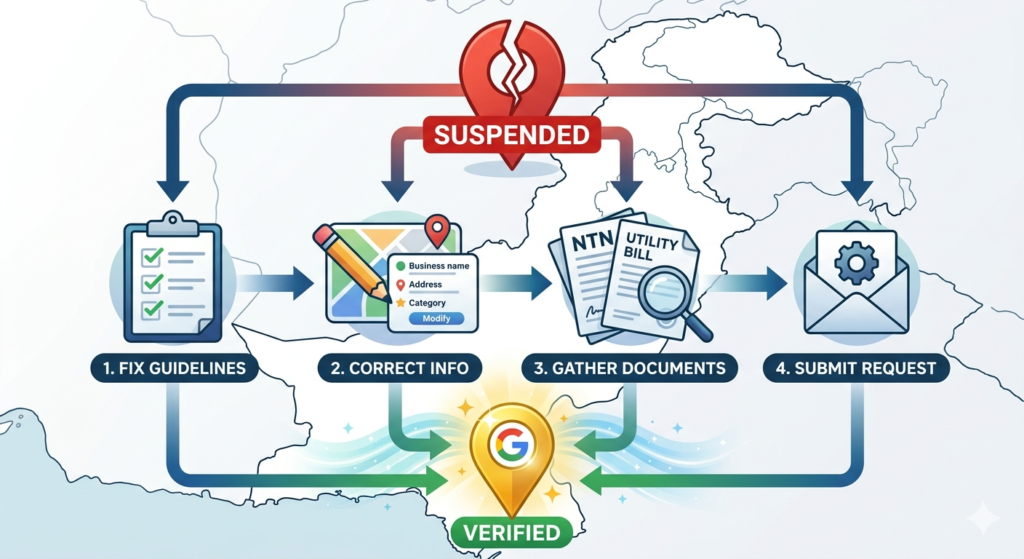
A suspended Google My Business (GMB) listing can seriously hurt your online visibility. If your business in Pakistan relies on local searches, Google Maps, or customer inquiries through your profile, a suspension means lost leads, reduced traffic, and lower trust.
If you haven’t optimized your GMB yet, check out Complete Google My Business Optimization Guide for Pakistani Businesses to ensure your profile is fully compliant before attempting a reinstatement.
What Does a GMB Suspension Mean?
When Google suspends a listing, it may:
- Remove your business from Google Search and Maps
- Disable posts, reviews, and customer interactions
- Prevent you from editing business information
Suspensions can be temporary or permanent, depending on the violation.
Common Reasons for GMB Suspension
- Incorrect or Misleading Information
- Wrong business name, address, or phone number
- Including keywords in the business name that Google considers spam
- Violation of Google’s Guidelines
- Using fake reviews or incentivizing reviews
- Listing a virtual office without staff present
- Duplicate Listings
- Multiple listings for the same location
- Confusing variations of your business name
- Unauthorized Business Category Changes
- Changing categories to unrelated services
- Misrepresenting your business type
- Suspicious Activity
- Frequent edits or unusual location changes
- IP changes or multiple logins from different regions
Steps to Fix a Suspended GMB Listing
1. Identify the Type of Suspension
Google has two main suspension types:
- Soft Suspension – Your listing is visible but restricted in functionality
- Hard Suspension – Your listing is completely removed from search and Maps
Knowing the type helps you plan the correct recovery approach.
2. Review Google’s Guidelines
- Read the official Google Business Profile Guidelines
- Ensure your listing adheres to name, address, phone, website, and category rules
- Remove any misleading or promotional elements from your business name
3. Correct Errors on Your Listing
- Fix inconsistent NAP (Name, Address, Phone) across all online directories
- Remove any prohibited content in descriptions or posts
- Ensure your location has staff physically present if it’s a storefront
4. Submit a Reinstatement Request
- Go to the Google Business Profile Help Center
- Fill out the “Request Reinstatement” form
- Provide accurate business details, ownership proof, and a brief explanation of corrections
5. Provide Supporting Documents
Attach documents such as:
- Business license or NTN certificate
- Utility bills or lease agreements for the physical location
- Photos showing your business interior/exterior
These help Google verify legitimacy.
6. Follow Up Regularly
- Google may take 7–14 days to review reinstatement requests
- Monitor your email for updates and respond promptly if Google asks for more information
7. Avoid Future Suspensions
- Keep your business information accurate and up-to-date
- Avoid keyword stuffing or misleading claims in your business name
- Only collect genuine reviews and never incentivize customers
Internal Linking Opportunity
For Pakistani businesses, GMB works best alongside other local SEO strategies. Check out Local SEO Guide for Small Businesses in Pakistan and What is SEO and Why Does Your Pakistani Business Need It in 2025 to combine GMB optimization with a strong SEO foundation.
Final Thoughts
A GMB suspension can feel frustrating, but with careful review, correction, and a reinstatement request, your listing can be restored. Maintaining compliance with Google’s guidelines ensures your business continues to attract local customers, build trust, and generate leads effectively.